When creating a website, you might want to discuss something over video instead of text. Many websites include videos on them and when making a website the idea of including a video usually comes to mind. This tutorial will show you how to insert a video in these 6 steps.
The first step, aka the easiest step, is to find the video you want to include in your website. For the purpose of this tutorial, we'll be using YouTube since it's free.

Once you have located your video, click on the video to get to the page that looks something like this:

Next, click on the button below the video that says Share. (The button in the middle of the screenshot, use previous pictures for reference if needed)

You are now presented with various options. Click the Embed Option.
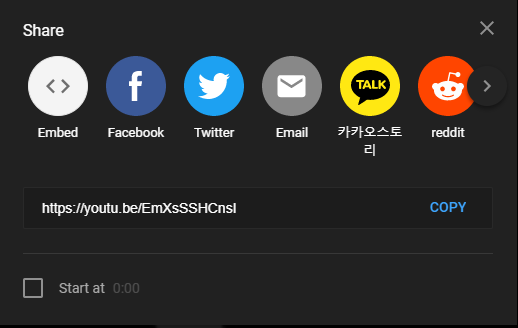
On the embed screen, look at the options presented to you and select the ones that you want. When you've selected the options you want, press the Copy button on the bottom right.
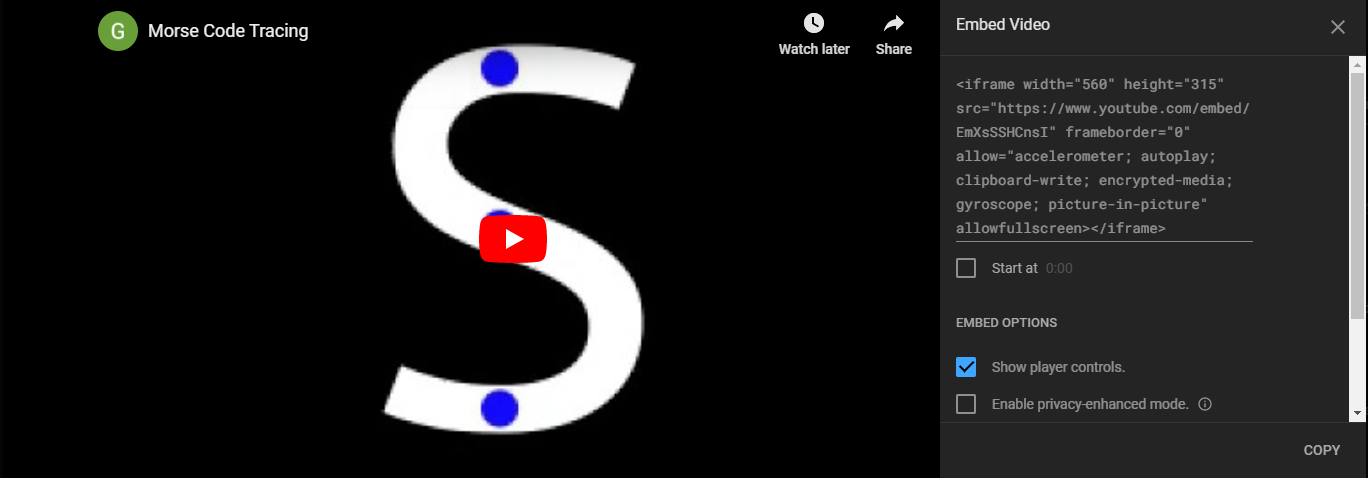
Finally, once you've copied it go to the html file for your website and paste (Ctrl + V) the copied iframe code where the desired position is. Now you're done!
